Dialogs
Dialogs is the Doc Gen application where you start the Smartforms that your company has approved, start the signing of PDF files, and follow up on what you have sent. You open it from Dialogs in the left menu of Doxis Doc Gen.
This section is about the Dialogs application. Building and approving Smartforms is done in Studio.
How it works: You choose a Smartform and fill in who should receive it. Doc Gen sends them an e-mail or an SMS with a link. When they have filled in the form, it is complete, and you can follow every step from View.
Home
The header at the top has the Doxis logo, which takes you back to Doxis Doc Gen, Home, a Docs link that opens this documentation, and your user menu, which shows your name and company. The page below it is your starting point.
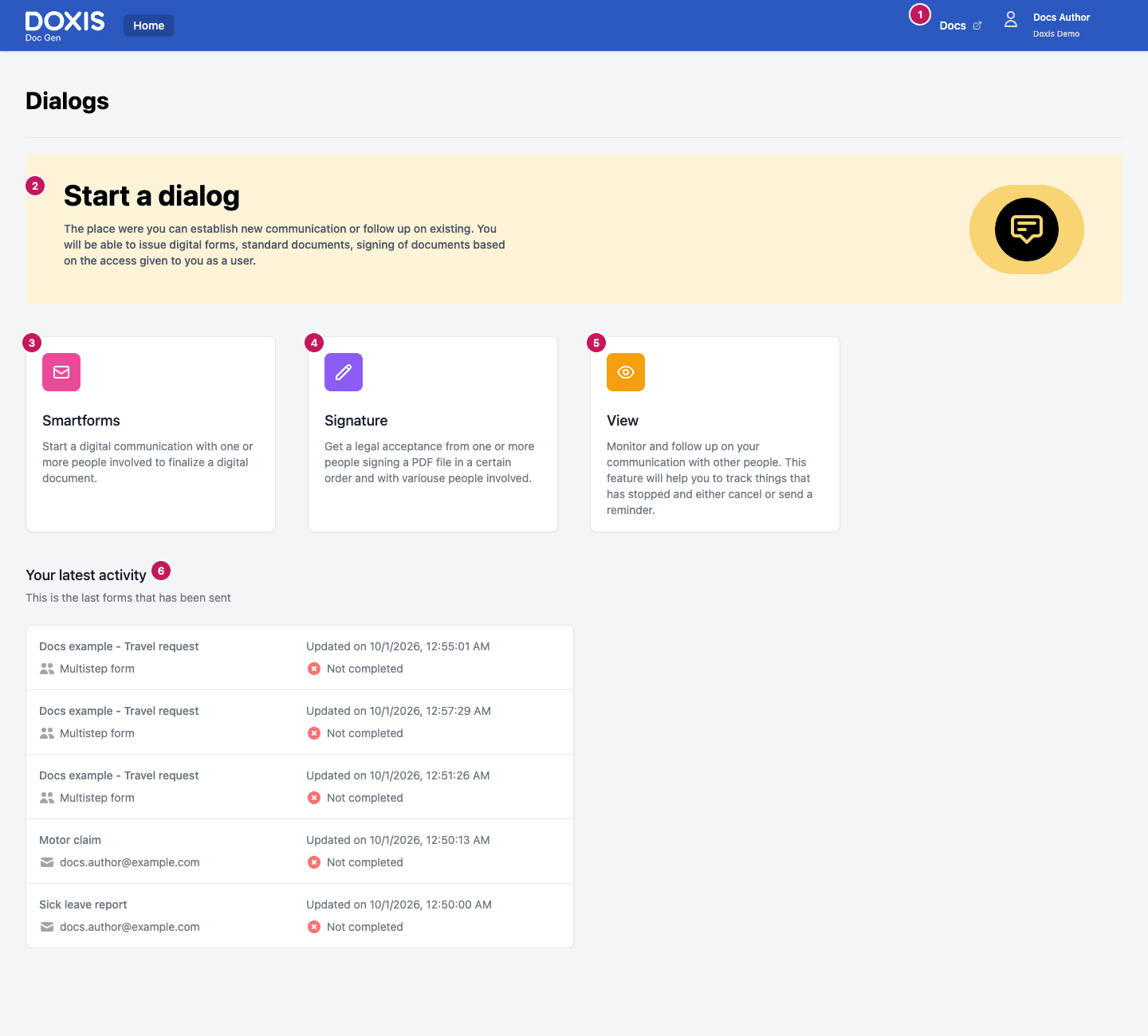
- Home, Docs and your user menu, in the header.
- Start a dialog is a short banner that says what the application is for.
- Smartforms opens the list of Smartforms you can send. See Send a Smartform.
- Signature opens the Signature application, where you send PDF files for signing. See Sign a PDF.
- View opens Processes, where you follow up on what has been sent. See Follow up on Smartforms and Follow up on signing orders.
- Your latest activity lists the last five forms that were sent in your company.
The cards follow your access. Smartforms is shown when you have access to Studio, and Signature when you have access to Digital Signing. View is always shown.
Your latest activity
Each entry shows the form name, the receiver’s e-mail address, when the form was last updated, and whether it is Completed or Not completed. A form without a single receiver shows Multistep form instead of an e-mail address.
Sign a PDF
The Signature card opens the Signature application in the same browser tab. There you upload the PDF files, add the people who should sign, and start the signing. The steps are described in Signature. Orders you start there show up again under View in Dialogs, see Follow up on signing orders.
In this section
If you cannot open Dialogs
If Dialogs shows Missing license to access Smartforms - Admin, your company has no Studio licence, which Dialogs needs. If it shows Not Authorized, your user does not have access to what you tried to open. Ask the administrator of your company to check your access.