Integration
Integrating with Viewpoint is straightforward, thanks to its easy-to-use REST API. The API supports all standard CRUD operations. Beyond the basic operations (upload, search, download/view, patch, and delete) the service also offers enhanced functionalities through “composed operations” that might shorten the workflow when interacting with the API.
This page is for developers. People who look documents up by hand use the web app; see Search and view documents.
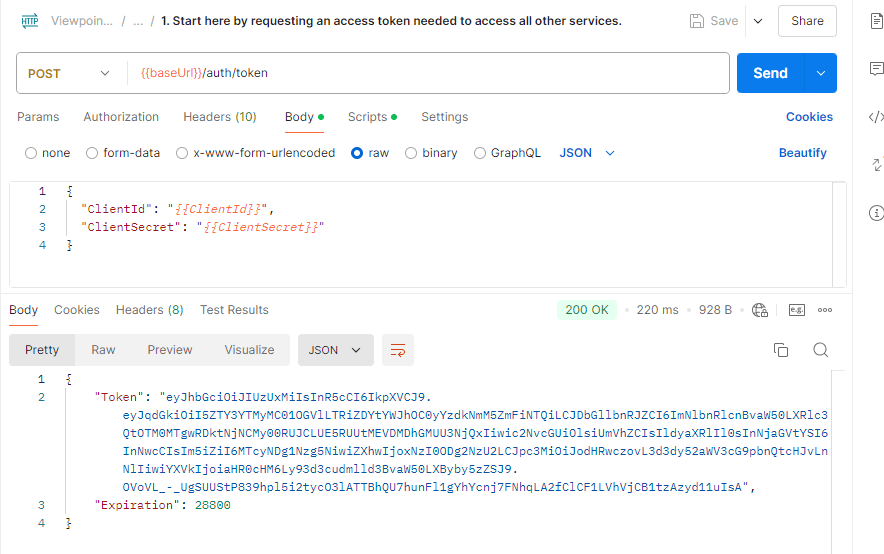
Authentication follows the OAuth protocol, utilizing Client ID and Client Secret for secure access. Clients are authorized with read/write capabilities, depending on their configuration.
API documentation
The endpoints, the patch operations and the advanced features are described in Core services. The Postman walkthrough below shows them in order.
The reference page of the Viewpoint web app, https://viewpoint.metaforce.net/documentation-api, is not the archive API. It lists only the web app’s own check of the user’s access, so use Core services to integrate.
Postman Collection
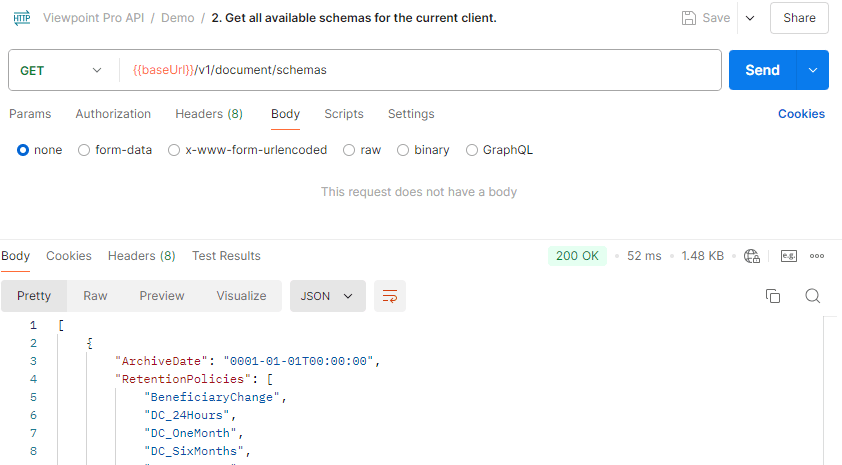
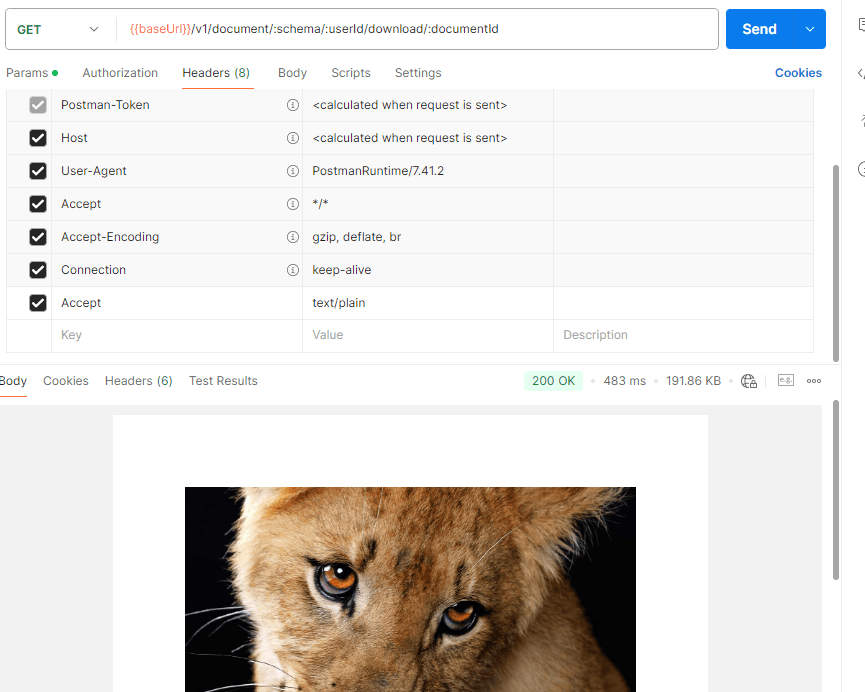
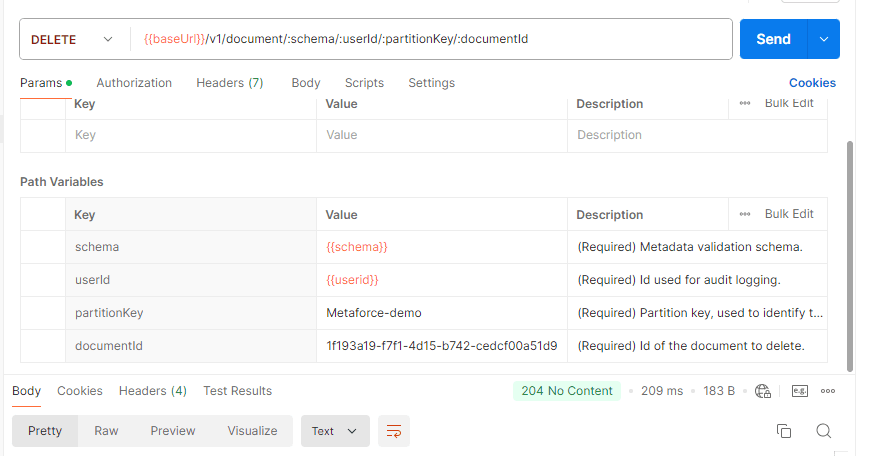
Postman is a powerful tool for exploring and understanding the APIs. The following Postman actions give you a workflow overview.
Sensitive information has been abstracted to Variables and Params in the Postman collection below (for example {{ClientId}}, {{ClientSecret}}, {{baseUrl}}, :schema and more).
1. Authentication
2. Get Schemas
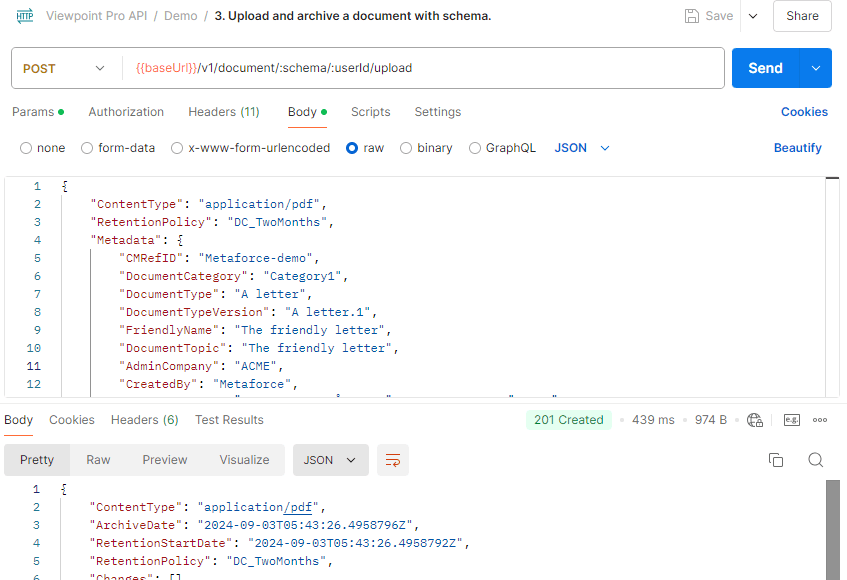
3. Upload
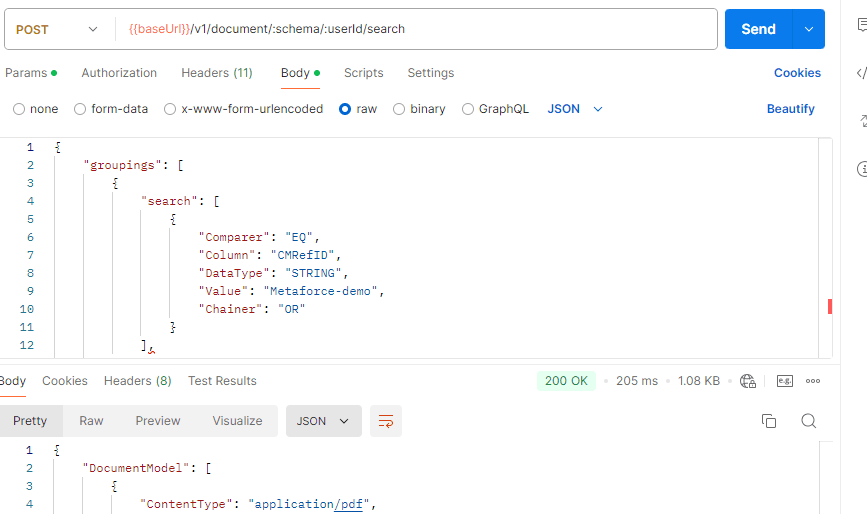
4. Search
Search sample
The following is a sample of a JSON document and a sample of a search request body that can be used in Postman to search for documents with this metadata.
Metadata:
{
  "RefID": "904208030",
  "DocumentType": "Invoice",
  "CustomerName": "Contoso Ltd",
  "Amount": 1500,
  "Currency": "USD",
  "IssueDate": "2023-10-01T00:00:00Z",
  "DueDate": "2023-10-31T00:00:00Z",
  "Status": "Pending",
  "ReferencedRefID": [
    "44021715",
    "12345678"
  ]
}
Search request body:
The search below will do a query with 2 groupings. The first grouping will search for documents with RefID = 904208030 or ReferencedRefID = 904208030 with an OR between the “root”-search and the array search. The second grouping will do the same but for the value 44021715. There is also an OR between the two groupings so all documents matching either grouping will be returned. The Skip and Take parameters are used for paging the results. The response will also contain the total number hits as well as a RequestContinuation token that can be used to get the next page of results.
{
  "groupings": [
    {
      "search": [
        {
          "Comparer": "EQ",
          "Column": "RefID",
          "DataType": "STRING",
          "Value": "904208030",
          "Chainer": "OR"
        }
      ],
      "arraySearch": [
        {
          "Column": "ReferencedRefID",
          "DataType": "STRING",
          "Value": "904208030",
          "Chainer": "OR"
        }
      ],
      "Chainer": "AND"
    },
    {
      "search": [
        {
          "Comparer": "EQ",
          "Column": "RefID",
          "DataType": "STRING",
          "Value": "44021715",
          "Chainer": "OR"
        }
      ],
      "arraySearch": [
        {
          "Column": "ReferencedRefID",
          "DataType": "STRING",
          "Value": "44021715",
          "Chainer": "OR"
        }
      ],
      "Chainer": "AND"
    }
  ],
  "Chainer": "OR",
  "Sorter": {
    "Column": "ArchiveDate",
    "SortOrder": "ASC"
  },
  "Take": 25,
  "Skip": 0,
}
5. Download
6. Delete
PDF and other file types
Viewpoint stores any file type. To archive a PDF, upload it like any other document and set its ContentType
to application/pdf. Searches find documents by the metadata you send with the file, not by the text inside it.
There is no PDF import screen in the web app, and the web app cannot upload documents. Documents arrive through the API or from Doxis Doc Gen applications that archive to Viewpoint.
NuGet Package for Easier Integration
For .NET environments, Viewpoint provides a NuGet package that simplifies integration by handling authentication, error management, retry policies, and data modeling.
Find the NuGet package here: