Deploy
Deploy copies texts from one environment to the next. You write and change texts in Development and deploy the groups that are ready.
Content moves in this order only. You cannot skip an environment.
What is included
When you deploy a group, these are copied to the next environment:
- The Active texts in the group, with their name, identifier, content in every language and folder.
These are not copied:
- Texts with the status Draft.
- Styles, table styles and colors. They are not part of a deployment.
A text that was deployed before is updated in the next environment, even if you have changed its name or identifier since. A text deployed for the first time is created there.
Deploy overview
Open Deploy under System in the menu. The page shows a card for each environment.
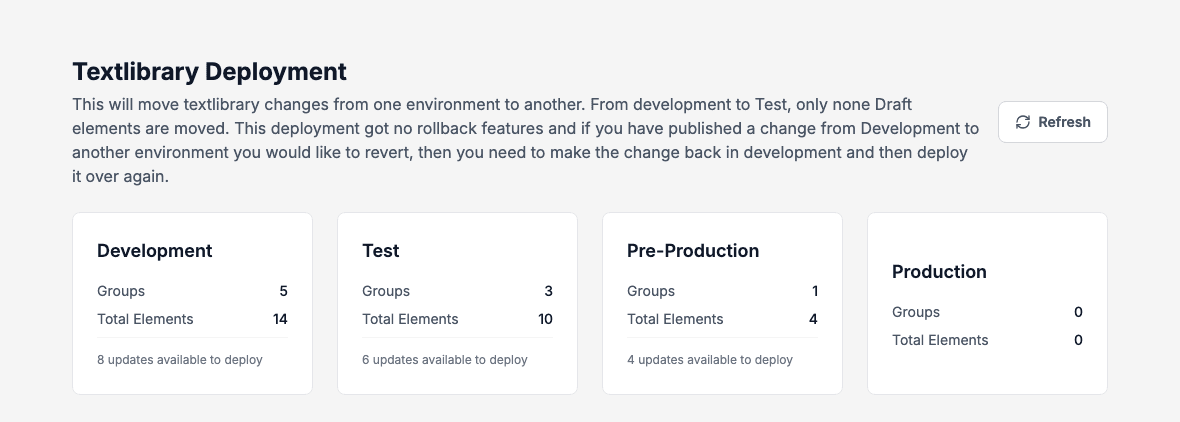
Each card shows the number of Groups, the Total Elements and, when something is waiting, N updates available to deploy. Refresh reloads the numbers.
Deploy groups
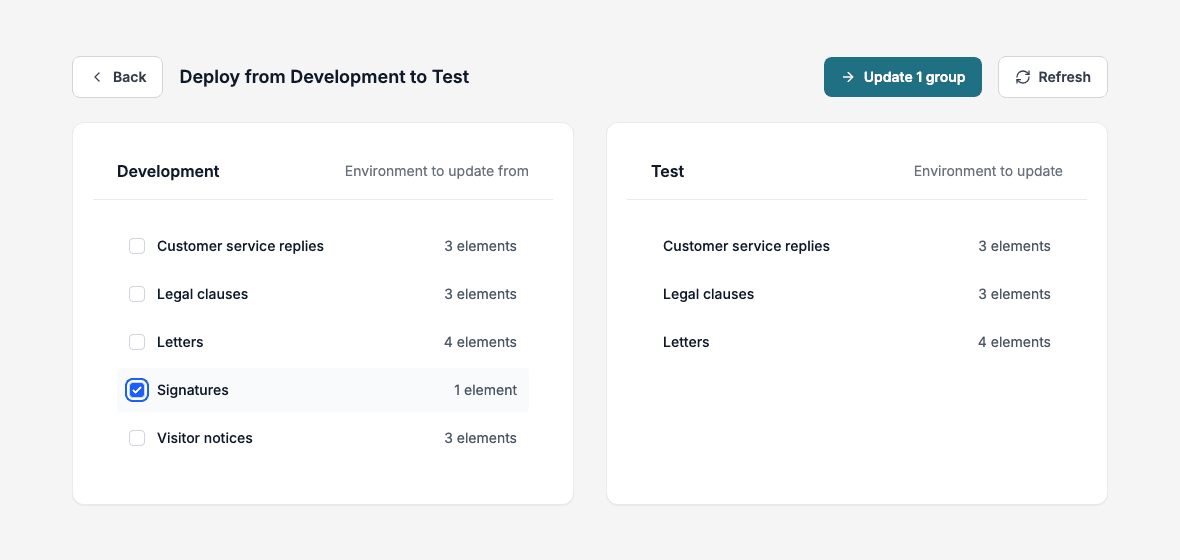
- Click the Development card to deploy to Test. To deploy onward, click the Test card for Pre-Production or the Pre-Production card for Production.
- The page is called Deploy from Development to Test. Tick the groups on the left.
- Click Update N groups.
- Wait for Deployed x of y groups. A message says Successfully deployed N group(s) to Test and the group appears in the list on the right.
Back returns to the overview.
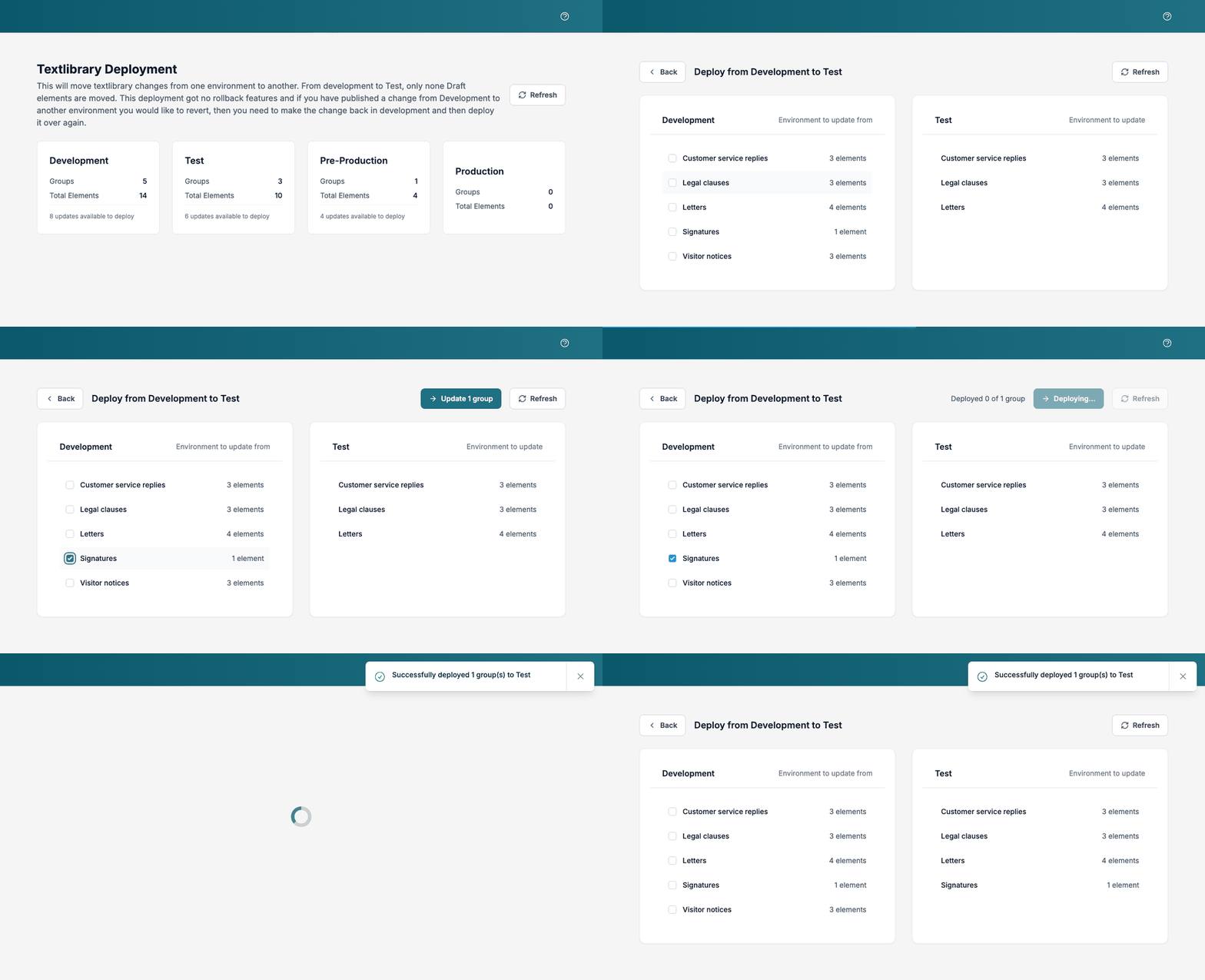
The Production card only summarises what is deployed there. You cannot open it, because nothing comes after Production.
Check the result
Open Text Library, click the row menu of a text and choose View Environments. See Texts.
Good to know
- Deployment runs in the background. You can leave the page while it runs.
- There is no rollback. To undo a change, fix the text in Development and deploy it again.
- A text is deployed only when its group is ticked, so a change to one text needs its whole group selected, which also redeploys the other Active texts in it.
- Deploying never removes anything. A text you delete, or set back to Draft, in Development keeps the copies it already has in the other environments.