Styles
A style is a saved set of text formatting, such as a heading in a brand font. You apply styles from the Styles menu in the editor, so every text looks the same without formatting by hand.
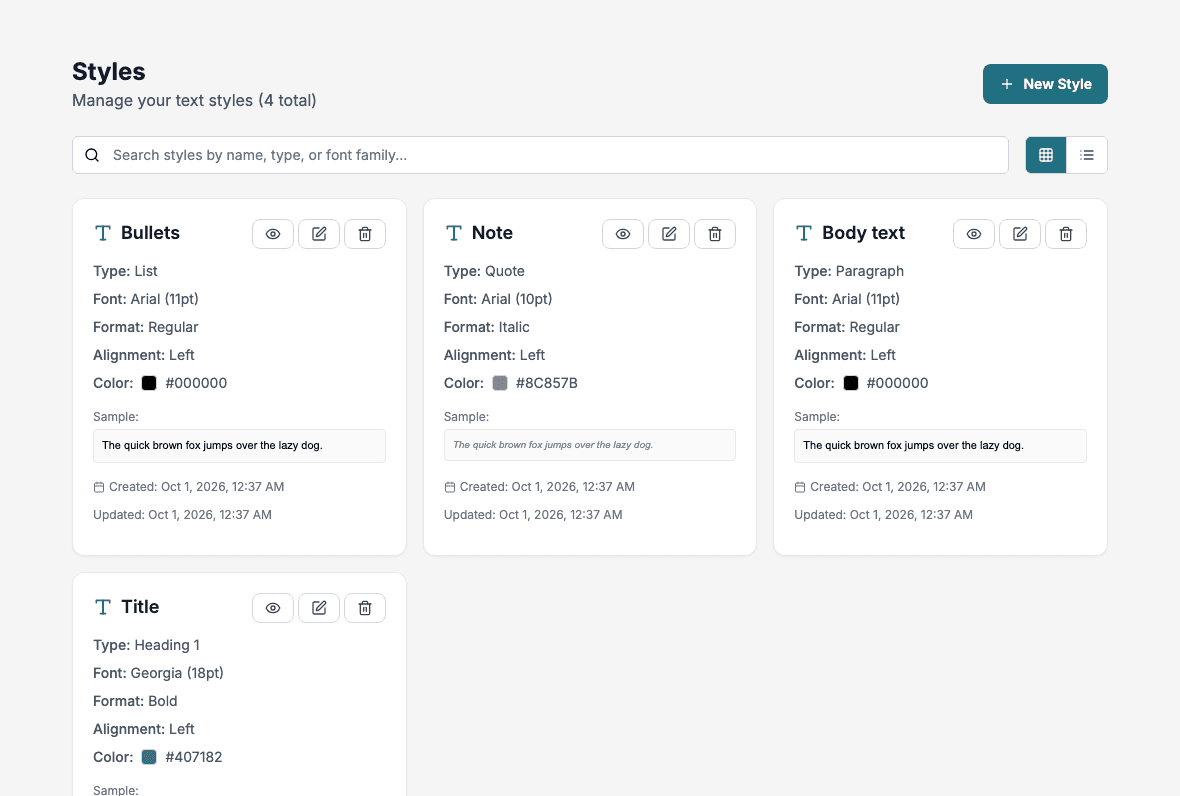
The style list
Each style shows its type, font, size, format, alignment, color and a sample sentence.
- Search: find styles by name, type or font family.
- Card View and List View: switch the layout.
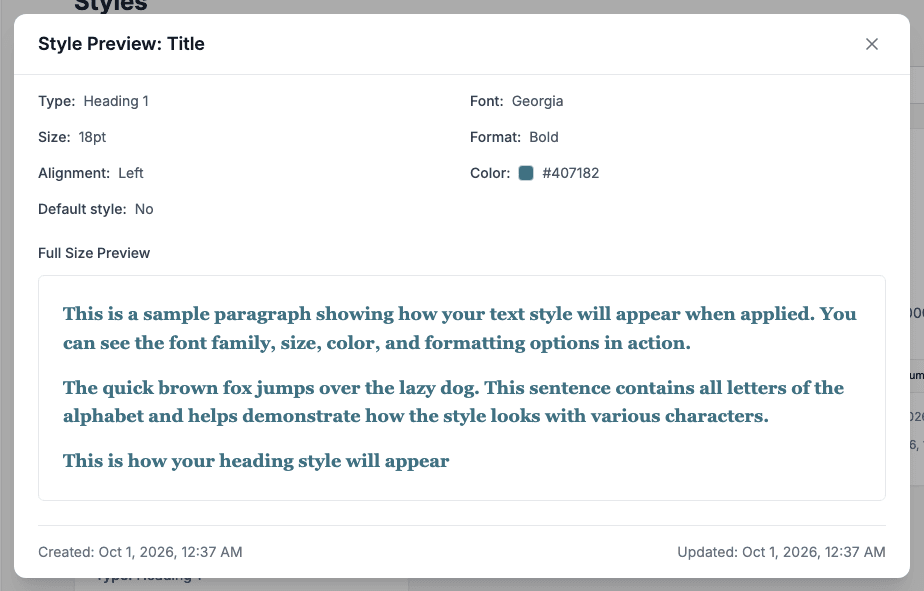
- The eye button opens Style Preview, which shows the style on sample text.
- The pencil button edits the style. The trash button deletes it after you confirm.
Create a style
Click New Style, fill in the page and click Save Style.
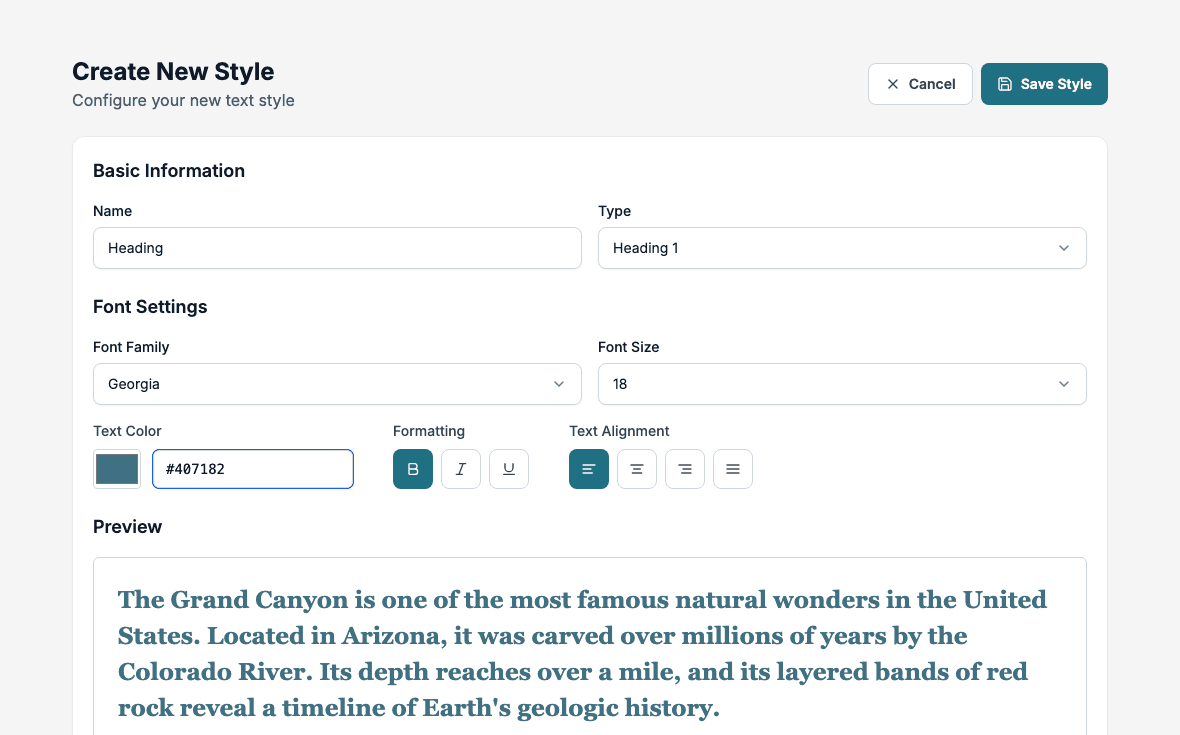
- Name: required. Use names such as Title, Body text or Note.
- Type: Paragraph, Heading 1, Heading 2, Heading 3, List or Quote.
- Font Family: Arial, Times New Roman, Calibri, If Sans, Helvetica, Courier New or Georgia.
- Font Size: from 8 to 28.
- Text Color: choose a color with the color box or type a hex value such as
#407182. - Formatting: Bold, Italic and Underline.
- Text Alignment: Align Left, Align Center, Align Right or Justify.
The Preview updates as you change the settings. When you edit an existing style, the button reads Update Style.
Use a style
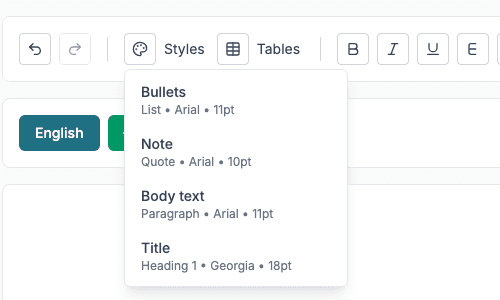
In the editor, select the text and open Styles. The menu lists every saved style with its type, font and size. Choose one to format the selection.
The editor applies the style’s font, size, color, bold, italic and underline. A Heading or Paragraph type also turns the selection into that kind of block, and a List type turns it into a bullet list. The alignment is not applied.
Changing a style later does not change text that was already formatted with it.
Delete a style
Click the trash button on the style and confirm in Delete Style. Text already formatted with it keeps its look.
Best practices
- Keep names short and consistent.
- Avoid many similar styles.
- Define heading styles before you write texts.