Administration
Administration is where you run your company account in Doxis Doc Gen: who can sign in, what they can use, and how Doc Gen connects to other systems.
To use Administration, your role needs the Administration product with its Users feature. The built-in Admin role has all of it. The other Administration features decide what else you see: Invites for inviting people, and Configuration for Settings, Fonts, ViewPoint, Interact, Integration and Versions. See Roles.
In this section
Open Administration
Choose an item in the Administration group of the side menu. Each menu item opens a page, and some open a small sub-menu.
| Menu item | What you do there |
|---|---|
| Team | Manage users, invite new users, and define roles and access groups. It also holds the Azure AD integration. |
| Settings | Account details, notification templates and retention policies, plus Doxis Packages. |
| Fonts | Upload the fonts your company uses. See Fonts. |
| ViewPoint | Choose between the shared document database and a private one. |
| Interact | Connect Interact environments: general options, SOAP clients and WebEditor settings. |
| Integration | Digital signing, SMS, Bank ID, the digital archive, API clients and audit log forwarding. |
| Versions | Release packages and e-mail notifications about new versions. |
The Administration home page
Administration also has a home page that summarises your company account. It has no item of its own in the side menu. To open it, add /admin to the Doc Gen address in your browser.
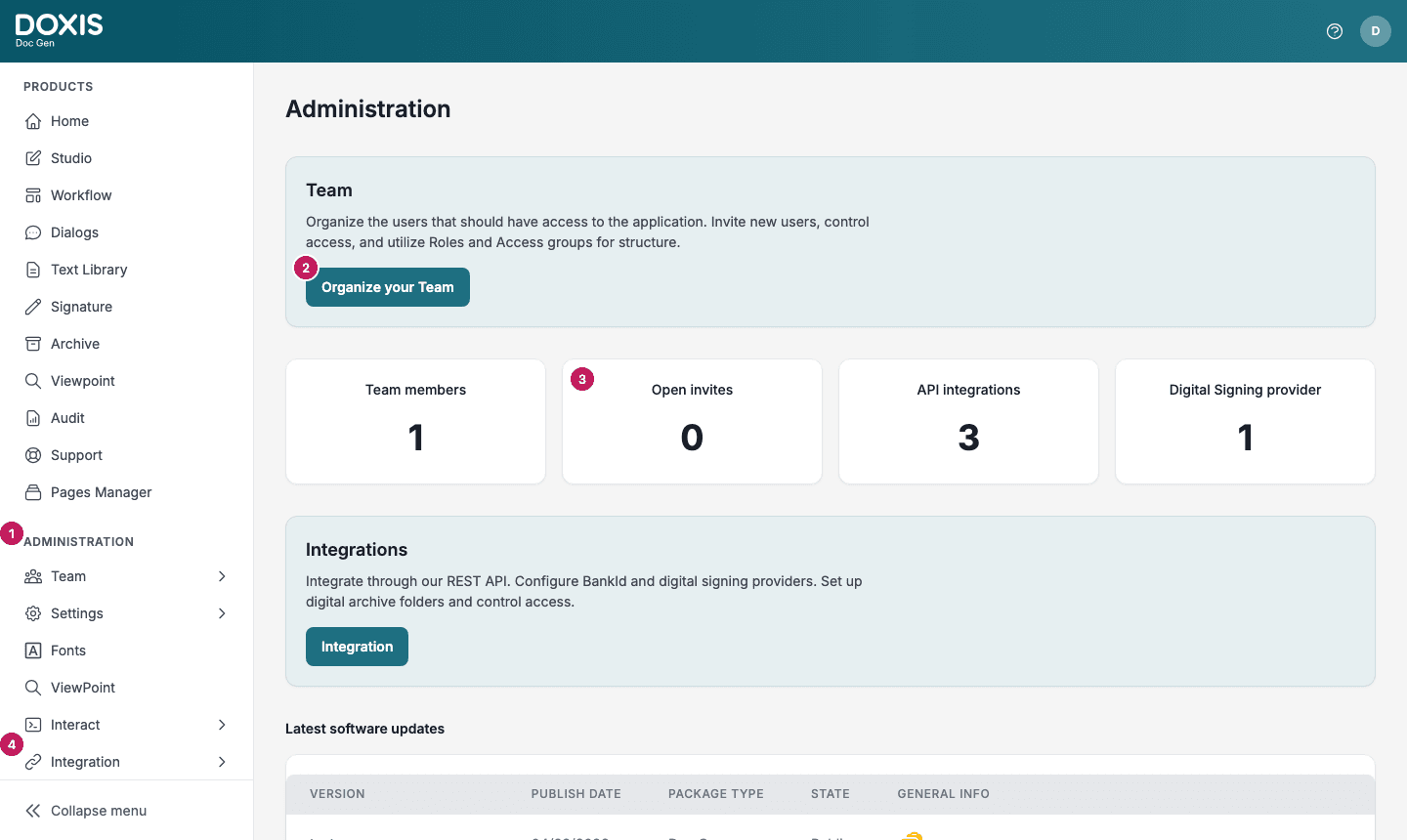
- The Administration group in the side menu. Its items open the pages in this section.
- Organize your Team opens Team, Manage.
- Tiles that count your Team members, Open invites, API integrations and Digital Signing provider.
- Integration in the side menu. The Integration button on the Integrations card opens API Clients.
Below the cards, Latest software updates lists the five newest release packages. See Versions.