Interact
The Interact pages connect Doc Gen to your Interact environments. Open Administration and choose Interact in the side menu. It has three pages: General, SOAP Clients and WebEditor.
General
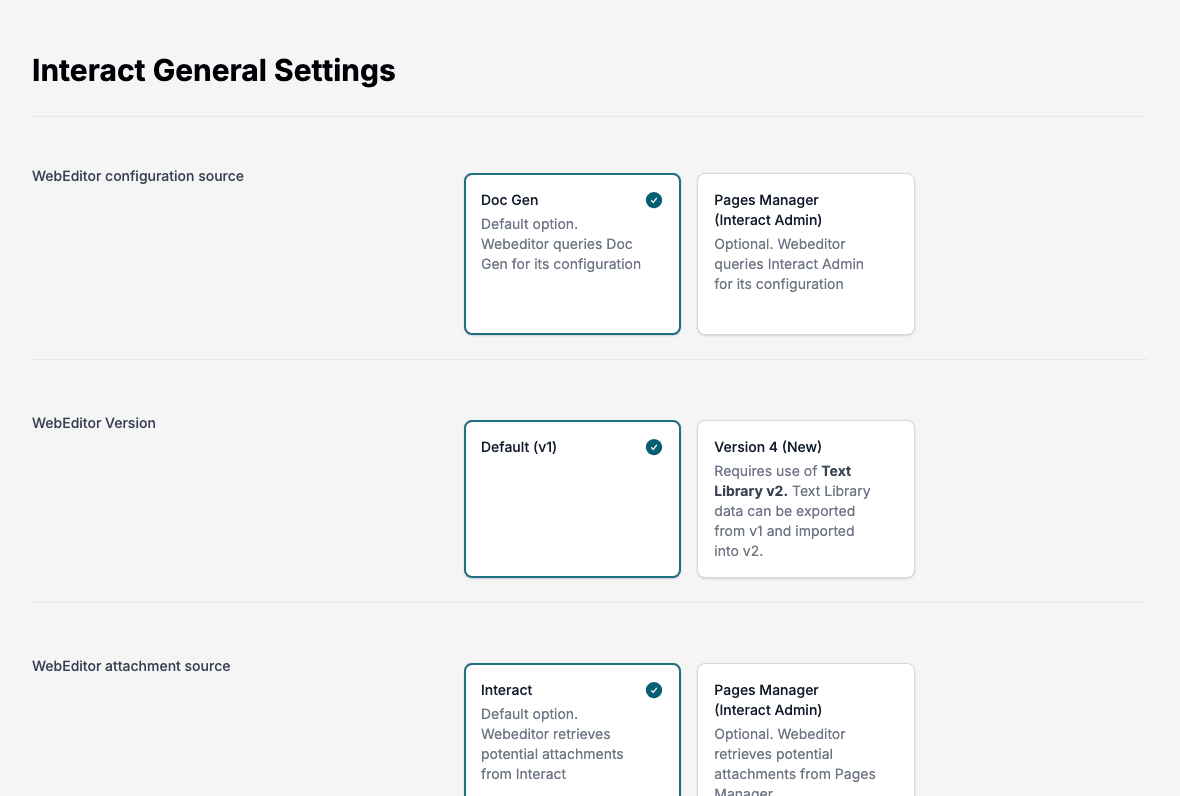
Interact General Settings decides where the WebEditor gets its setup from.
| Setting | Options |
|---|---|
| WebEditor configuration source | Doc Gen (default): the WebEditor asks Doc Gen for its configuration. Pages Manager (Interact Admin): the WebEditor asks Interact Admin instead. |
| WebEditor Version | Default (v1), or Version 4 (New). Version 4 requires Text Library v2. You can export Text Library data from v1 and import it into v2. |
| WebEditor attachment source | Interact (default): the WebEditor gets possible attachments from Interact. Pages Manager (Interact Admin): it gets them from Pages Manager. |
Click Save to apply your choices.
SOAP Clients
A SOAP client is the connection between Doc Gen and one Interact environment. Interact SOAP Client Setup lists them with Customer Environment, Created and Created by.
- Click New.
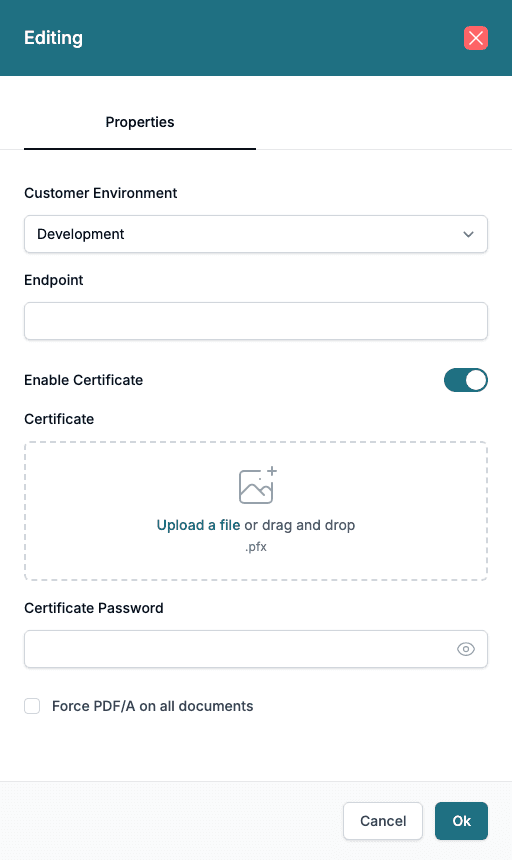
- Choose the Customer Environment: Development, Test, Test1 to Test5, IntegrationTest, AcceptanceTest or Production.
- Type the Endpoint of the Interact service.
- Leave Enable Certificate on when the endpoint requires a client certificate. Upload the certificate file (.pfx) under Certificate and type the Certificate Password.
- Tick Force PDF/A on all documents if every document must be created as PDF/A.
- Click Ok.
There is one SOAP client per customer environment. Select rows and click Delete to remove clients.
WebEditor Settings
A WebEditor setting configures the WebEditor for one Interact environment. Choose WebEditor in the side menu to open WebEditor Settings, which lists them. Click New, choose the Customer Environment, set the options below, and click Ok.
📝 Note: When WebEditor configuration source on General is Pages Manager (Interact Admin), the WebEditor ignores these settings, and the page shows a warning. Set the source back to Doc Gen to use them.
| Group | Options |
|---|---|
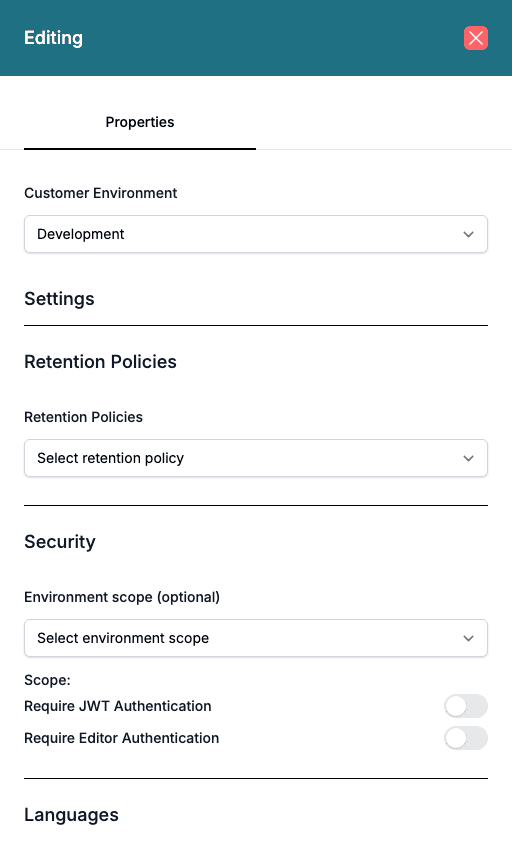
| Retention Policies | The retention policy that applies. |
| Security | Environment scope (optional), Require JWT Authentication and Require Editor Authentication. You can switch on only one of the two. Require Editor Authentication also asks for a Required User Domain. |
| Languages | Preferred Language: English, Norsk or Svenska. |
| Visibility | Show Text Library and Show Preview Html. |
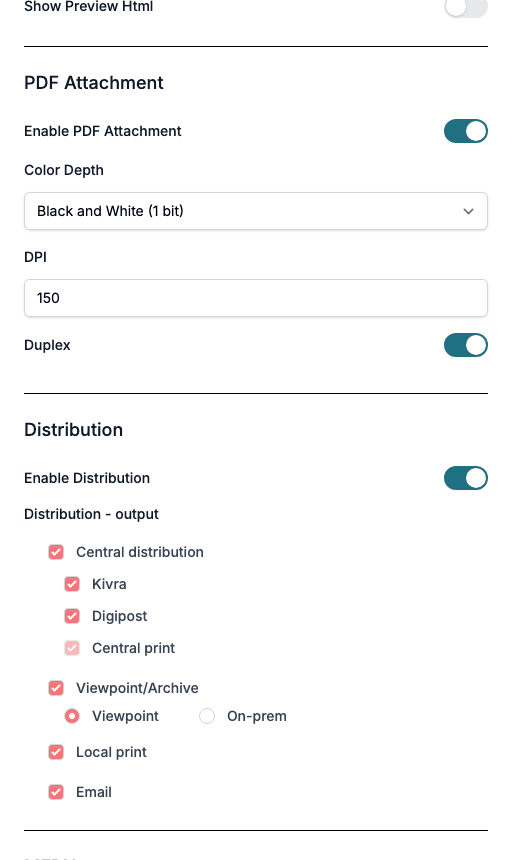
| PDF Attachment | Enable PDF Attachment, Color Depth (Black and White (1 bit) or Color, RGB (24 bit)), DPI and Duplex. |
| Distribution | Enable Distribution and the outputs users can choose. |
| MFDX | Client Secret. |
The Distribution - output choices are Central distribution (with Kivra, Digipost and Central print), Viewpoint/Archive (Viewpoint or On-prem), Local print and Email. Central print is shown but cannot be changed here. With Enable Distribution on, choose at least one output.