Fonts
Fonts is where you upload the fonts your company uses, so they are available alongside the standard ones. Open Administration and choose Fonts in the side menu.
Only TTF and OTF files are accepted. You can add several files at once.
Upload fonts
- Drag font files onto the Font file area, or click Upload files and select them.
- For each file, check the Family name, Style (normal, italic or oblique) and Weight (100 to 900). Doc Gen fills these in from the file name, so correct them when they are not right. Files in the same family use the same Family name.
- Click Add.
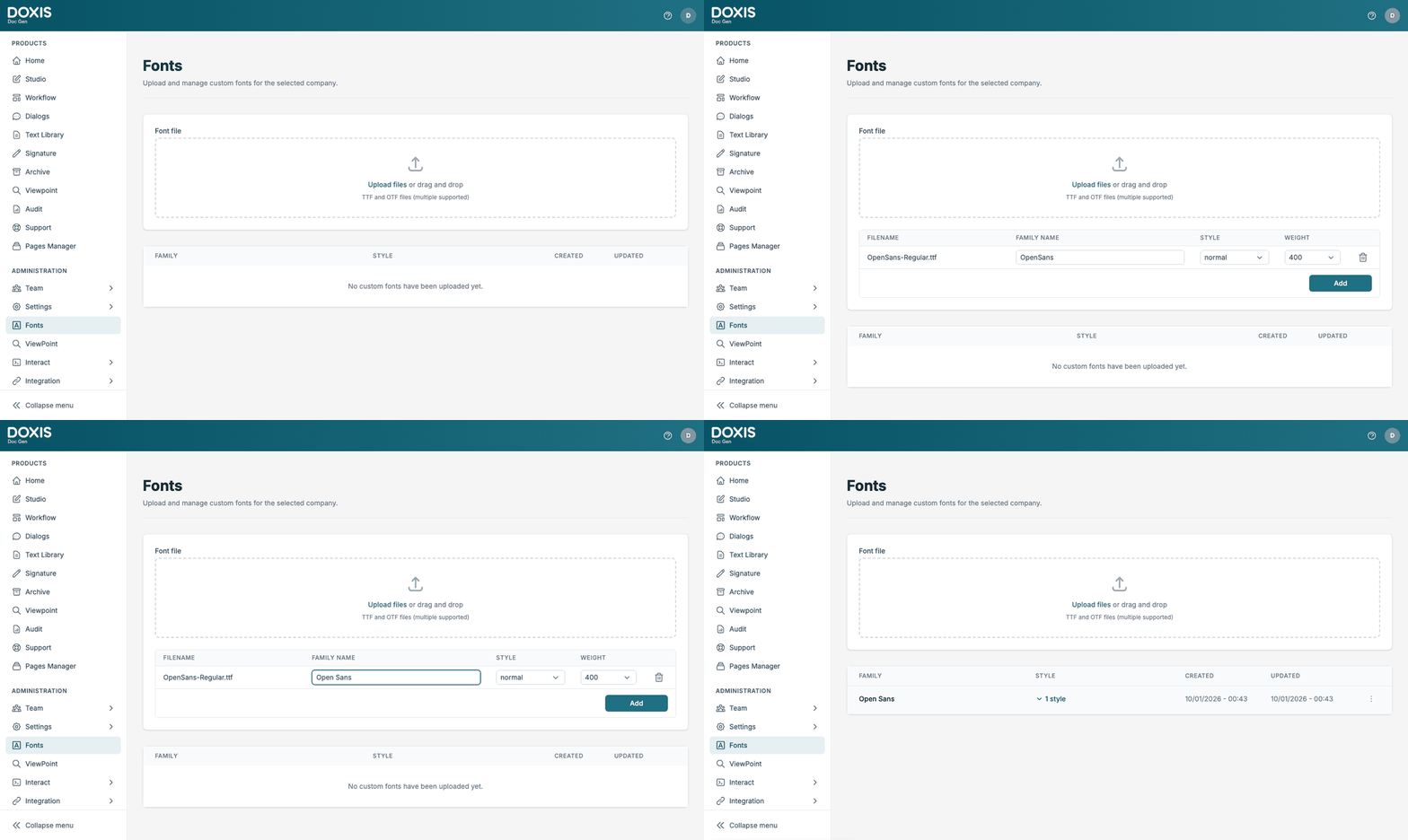
Use the bin icon on a row to take a file out of the list before you add it. Doc Gen reports how many fonts were uploaded, and names the first error if some failed. Any other file type is refused with a message saying that only TTF and OTF files are supported.
Your font families
The list under the upload area shows each Family with its number of styles, and when it was Created and Updated. Click the style count to see the styles.
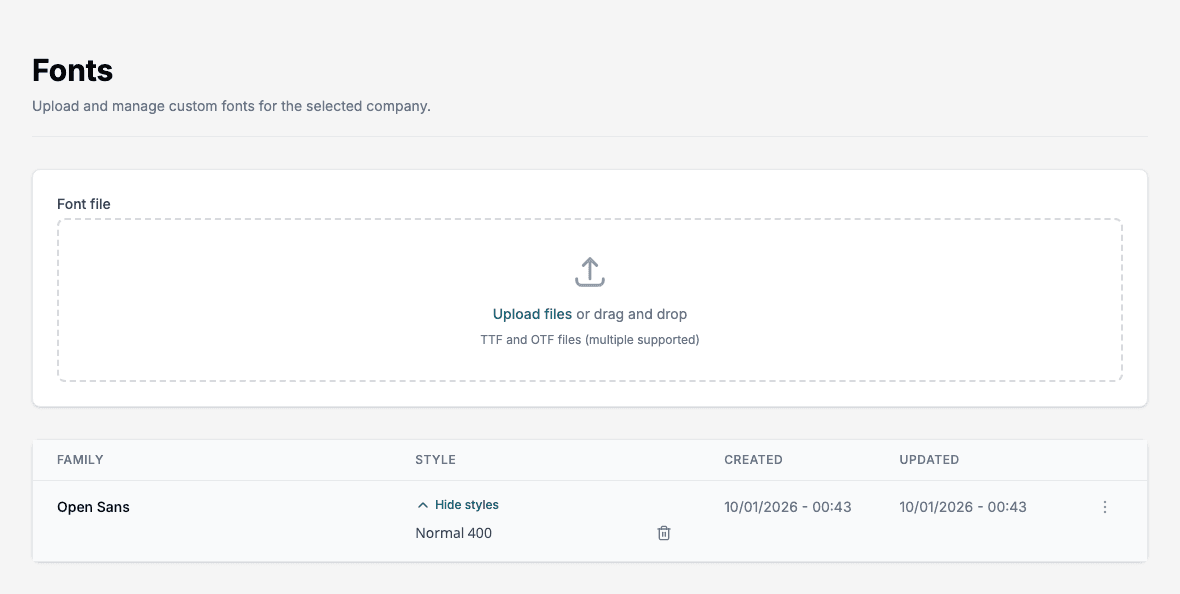
Rename a family
Use Open options, then Rename, on a family and type a New family name.
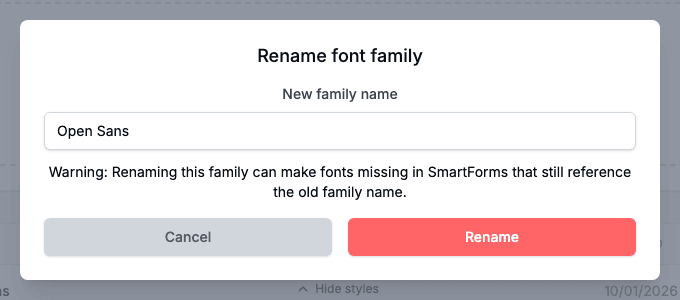
📝 Note: Renaming a family can make fonts go missing in SmartForms that still use the old family name. Check your forms after you rename.
Delete a style or a family
Click the bin icon next to a style to delete that style. Use Open options, then Delete, to delete a whole family with all its styles. Doc Gen asks you to confirm both.