Versions
The Versions pages keep you informed about releases of Doxis Doc Gen. Open Administration and choose Versions in the side menu. It has two pages: Release Packages and Customer Notifications. Versions is shown when your company has a plan.
Release packages
Version Release Packages lists the published releases.
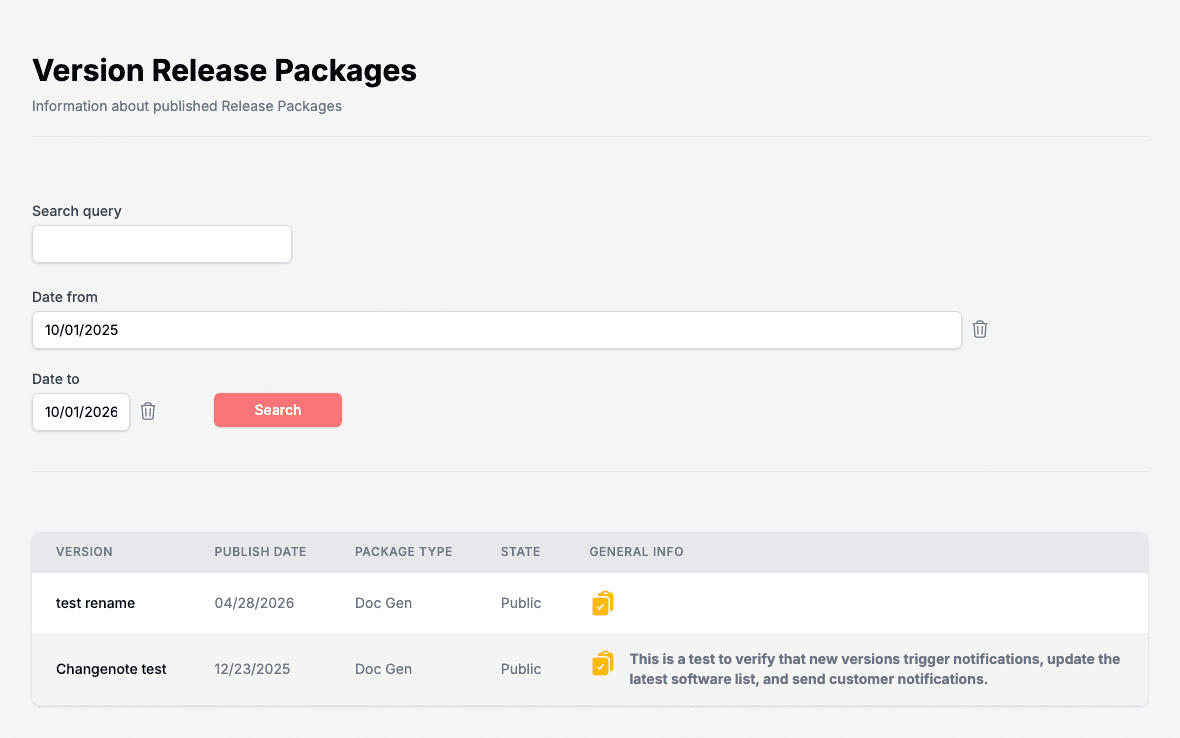
- Type in Search query, or set Date from and Date to, and click Search. The bin icon next to a date clears it.
- The table shows Version, Publish Date, Package Type, State and General Info.
- Click a release to open its details. A details page shows the release and its changelog, and lets you share it by e-mail.
The latest releases also appear on the Administration home page.
Customer notifications
Customer Notifications lets you get an e-mail when a new version is released.
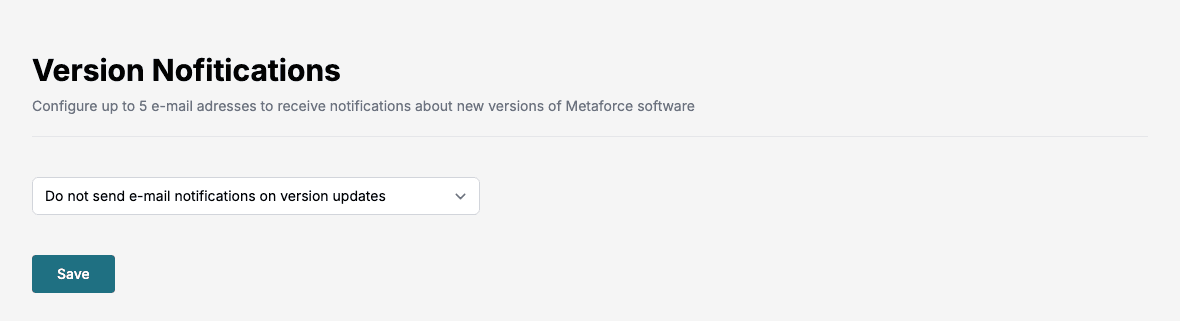
- Choose Send e-mail notifications on version updates. The other choice is Do not send e-mail notifications on version updates.
- Enter the e-mail addresses that should receive the messages, up to five.
- Click Save.