API clients
An API client is a set of credentials that lets another system call the Doc Gen API. Open Administration, then Integration, then API Clients. To see how a system uses the credentials to get a token, read REST authentication.
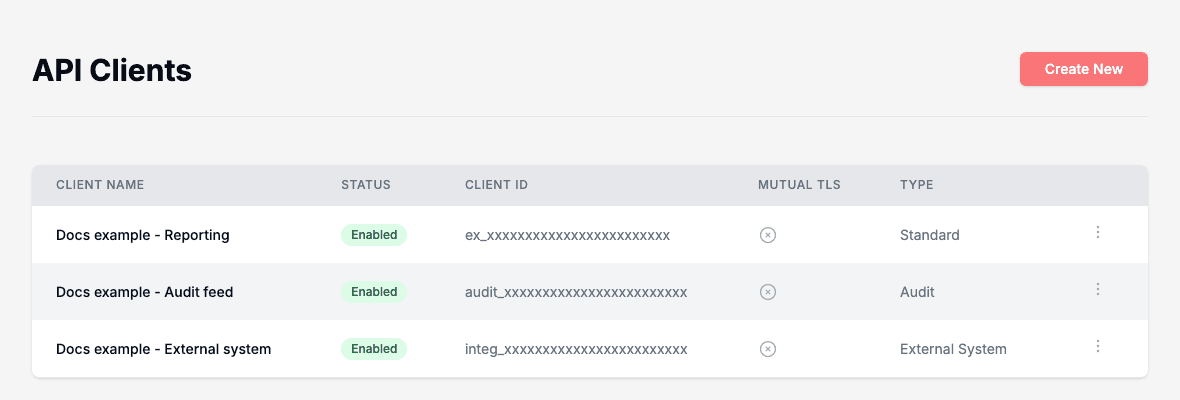
The list shows each client’s Client Name, Status, Client ID, whether it uses Mutual TLS, and its Type.
Create an API client
- Click Create New.
- Type a Client Name that says what the client is for.
- Choose a Client Type. The text under the list shows what the type can do.
- Optionally switch on Mutual TLS Client Authentication, or Webeditor Environment Scope (optional). Both are described below.
- Click Create.
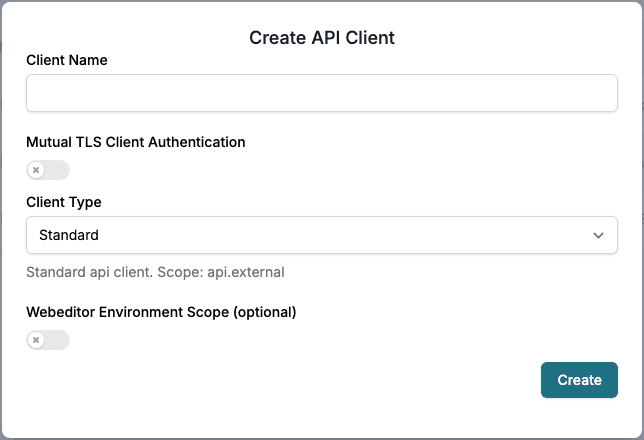
| Client Type | For | Scope |
|---|---|---|
| Standard | General use of the Doc Gen API. | api.external |
| External System | Integrations from third-party systems such as Salesforce. It has a limited scope. | api.integration_customer |
| Audit | Posting audit logs only. | api.audit |
| MetaTool | Creating MetaTool documents only. | api.metatool |
Webeditor Environment Scope (optional) adds access to the WebEditor for one environment, Development, Test, Stage, Demo or Production. The page shows the scope it adds.
Mutual TLS
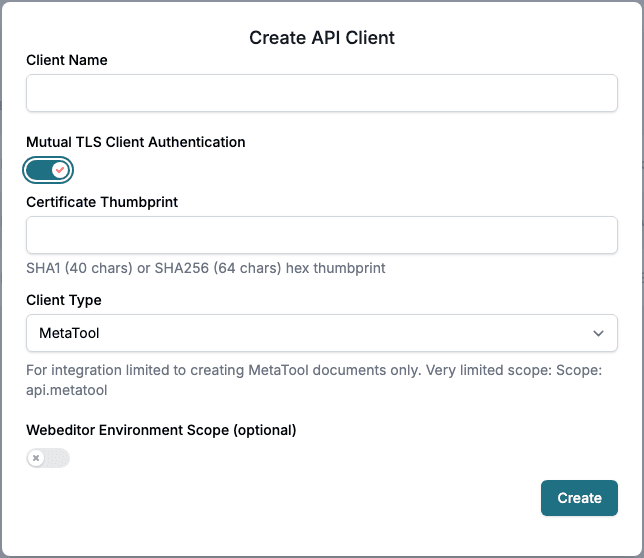
With mutual TLS the calling system also proves itself with a certificate. Switch on Mutual TLS Client Authentication and type the Certificate Thumbprint: 40 hexadecimal characters for SHA1 or 64 for SHA256.
Copy the credentials
After you click Create, the page shows Created Client with the Client ID and the Client Secret.
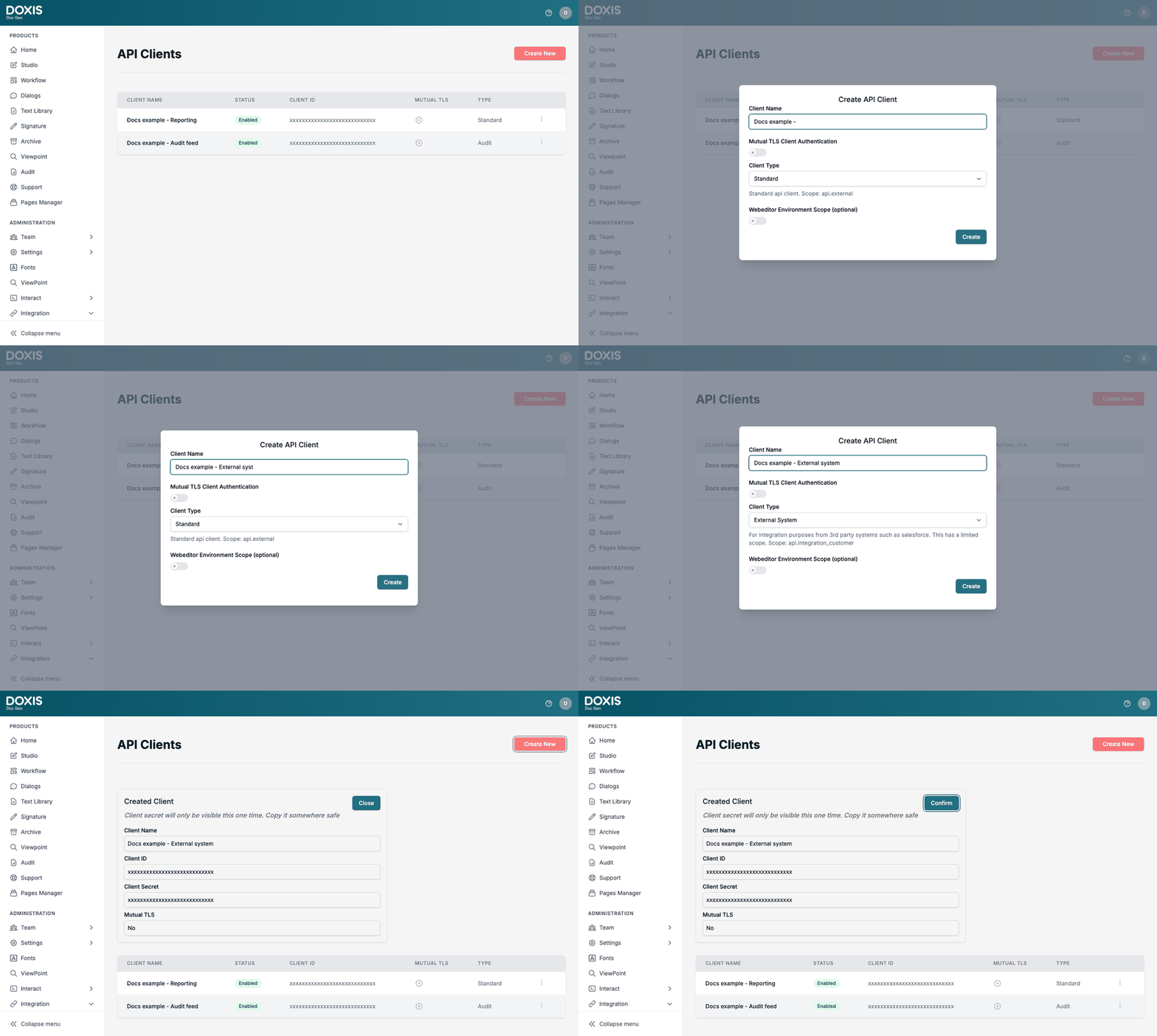
⚠️ Important: The client secret is only shown once. Copy it somewhere safe before you click Close and Confirm. If you lose it, create a new API client.
Enable, disable or delete a client
Use Open options on a row.
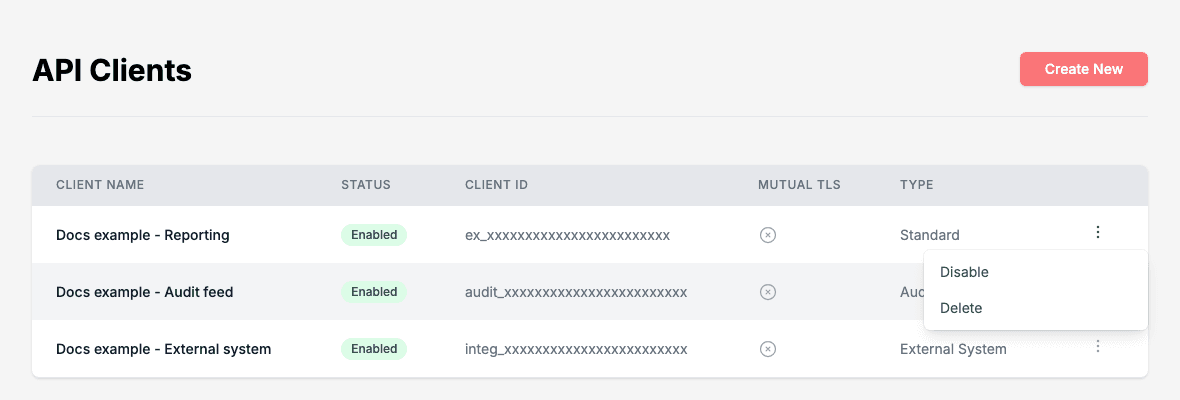
- Disable stops the client from working. The Status changes from Enabled to Disabled, and Enable turns it on again.
- Delete removes the client. Doc Gen asks you to confirm.