Objects in Templates
Objects in templates are reusable building blocks that help you create Smartforms faster. Instead of designing the same sections multiple times, you can save them as objects and reuse them across templates.
There are two ways to create an object:
1. Create a New Object
In Studio, go to Templates → Objects and click Create Object. (Import Object adds an object from a file.)
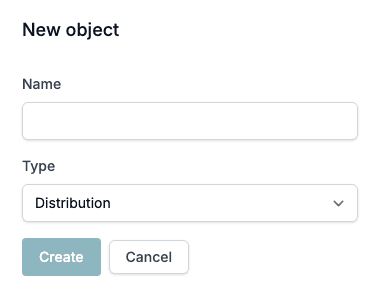
The New object dialog lets you:
- Enter a Name for your object.
- Choose a Type:
- Standard
- First page header
- First page footer
- Running header
- Running footer
- Distribution
Click Create. The new object is added to your list of objects, where you can edit and manage it further.
The menu at the end of each row has Edit, Rename, Change type, Export, Move to folder, Duplicate, Deactivate or Activate, and Delete.
Distribution objects
An object of the type Distribution holds the fields for one way of sending a finished document, for example Send by e-mail. You group Distribution objects in a Distribution List. They are not offered as section content in the designer.
Headers and Footers for PDFs
When you choose one of these types:
- First page header
- First page footer
- Running header
- Running footer
They are specifically made for use when you create a PDF of a Smartform.
You can apply these to a Smartform by:
- Opening the Smartform.
- Going to the PDF tab on the left side of the HTML Designer.
- In the Headers and footers section, select the object you want to apply.
See Headers, footers and page numbers for page numbers, the break safety margin and what happens when an object is missing.
2. Export a Section as an Object
When working inside a Smartform, you may want to save a section you are satisfied with for reuse.
To do this:
- Navigate to the section you want to export.
- Click the three-dotted button on the right side of the element.
- Select Export section → To object library.
The section will now be saved as an object in your library, ready to be reused or modified in other templates.
Benefits of Using Objects
- Faster form creation – reuse existing designs instead of starting from scratch.
- Consistency – ensure headers, footers, and standard sections look the same across templates.
- Flexibility – edit, duplicate, or import/export objects as needed.