Rules
Rules let a Smartform react to data and to what people enter. Open a Smartform in Studio and click Rules to find them. The page has eight tabs, in this order:
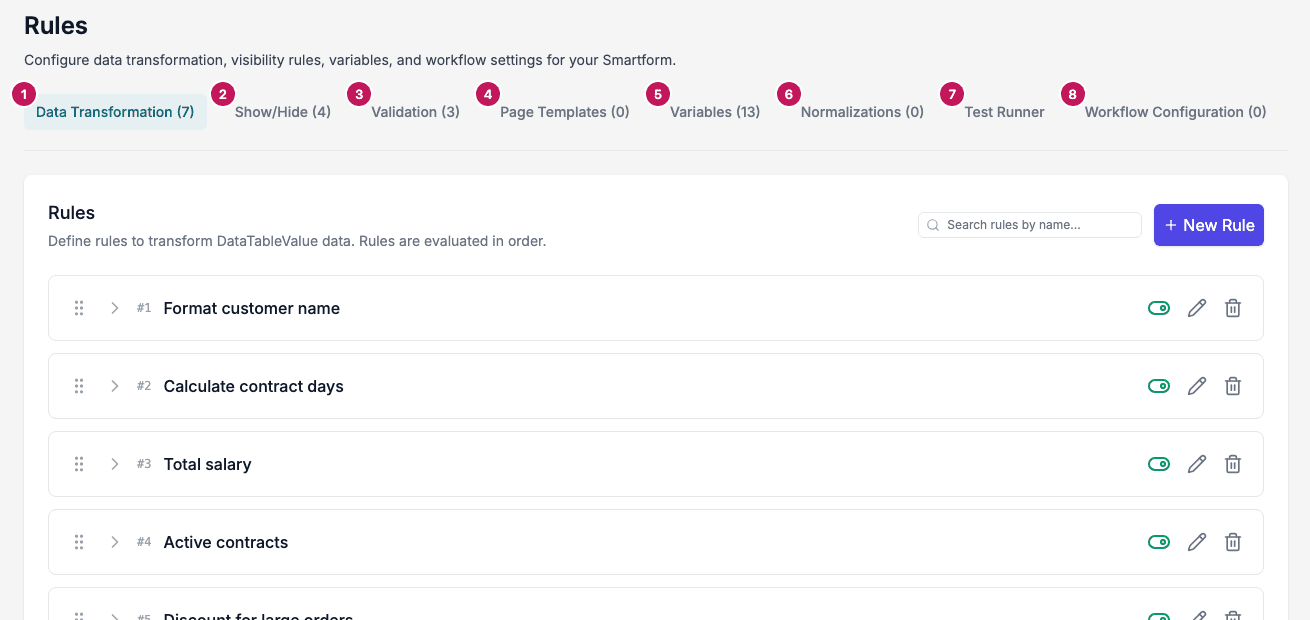
- Data Transformation: rules that set variables from the incoming data. See Data Transformation.
- Show/Hide: rules that show or hide sections, rows and elements. See Show/Hide.
- Validation: rules that show a message when a combination of values is not allowed. See Validation.
- Page Templates: rules that choose the header and footer of the PDF. See Page Templates.
- Variables: the data your rules work with. See Variables.
- Normalizations: reshape incoming data before the rules run. See Data Transformation.
- Test Runner: try the rules on test values. See Test Runner.
- Workflow Configuration: pick the workflow that fills the Smartform when it opens. See Workflow rules.
The number after a tab name is how many rules, variables or normalizations it holds. On Workflow Configuration it is 1 when a workflow is chosen.
How Rules work
Rules run in a fixed order. Each step can use the result of the step before it.
Rules are typically used together with the REST API, Workflows or Datasets, which pass the data in.
The rule types
| Rule type | What it does | Reads |
|---|---|---|
| Data Transformation | Sets variables, for example a total or a formatted name | Variables |
| Show/Hide | Shows or hides sections, rows and elements | Variables and form elements |
| Validation | Shows a message on a field when a combination is not allowed | Variables |
| Page Templates | Chooses which Smart Objects are the header and footer of the PDF | Variables and form elements |
Variables are not required for every rule type. Show/Hide rules can read form elements directly. Data Transformation and Validation rules read variables, so create the variables first.
When rules run
- Data Transformation runs when the form is created and again each time it is shown. It also runs when a PDF is generated with the Pages 2.0 engine.
- Show/Hide is applied in the form and, with the Pages 2.0 engine, when a PDF is generated. A section that the rules hide is left out of the PDF.
- Validation runs in the Smartform screen when a person submits or distributes the form. It does not change a generated PDF.
Work with the rule lists
The Data Transformation, Show/Hide and Page Templates tabs list their rules in the order they run.
- The number in front of a rule is its position. On Data Transformation and Show/Hide, drag a rule by its handle to change the order.
- The toggle turns a rule on or off. A rule that is off is marked Disabled.
- The pencil edits the rule and the bin deletes it. Before a rule is deleted, Studio asks Delete this rule?. For a Data Transformation rule, the dialog lists the rules that read the variables the rule sets. Nothing is changed in those rules.
Use the Test Runner to check Data Transformation and Show/Hide rules. It does not run Validation or Page Template rules.