Uploading files in a Smartform
The File Upload element lets the person filling in a Smartform attach files, for example receipts. This page describes the element from both sides: what you set in SmartForms Studio, what the person sees, and the limits that apply. The general list of element settings is in Items.
Set up a File Upload
- Open the Smartform in the designer and go to the section where the files belong.
- On the Items tab, add the File Upload element.
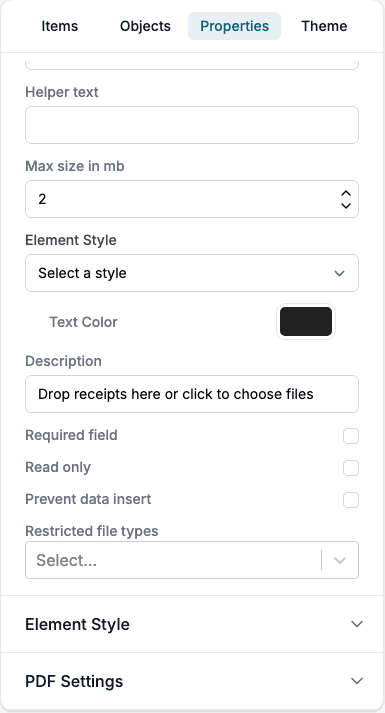
- Select it, open Properties, and fill in the settings:
| Setting | What it does |
|---|---|
| Text | The title shown in the upload box. |
| Helper text | Help text shown when the person points at the element. |
| Max size in mb | The most the files on this element may add up to, up to 10. The default is 10. |
| Description | The line of text under the title, for example Drop receipts here or click to choose files. |
| Required field | The person must add at least one file before the form can be submitted. |
| Read only | The person cannot add files. |
| Prevent data insert | Files cannot be added through the API. |
| Restricted file types | Types that this element refuses, chosen from a list. |
What the person sees
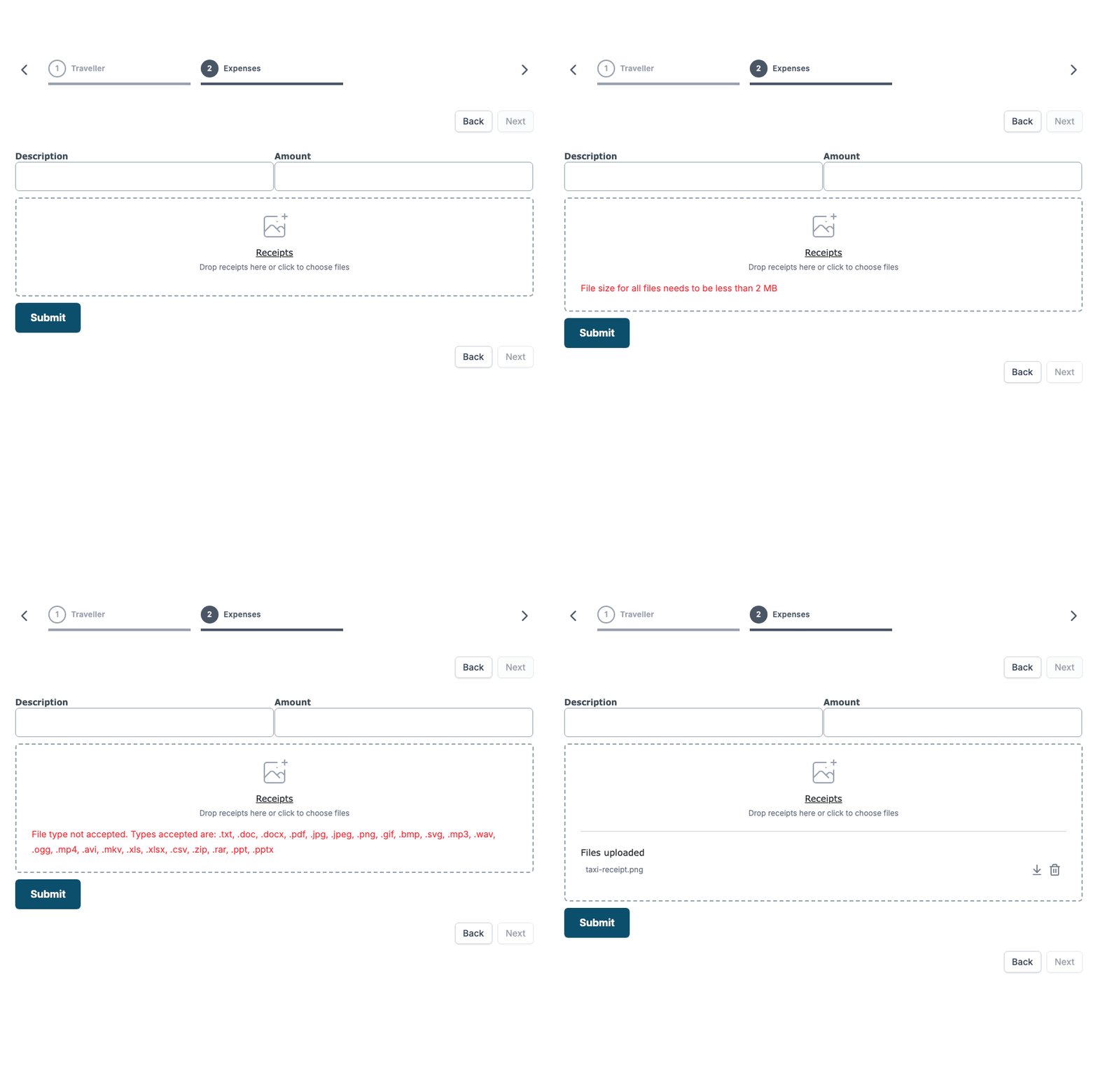
The element is a box with the title and the description. The person clicks the box and chooses a file, or drags a file onto it. The box takes one file at a time. Add a second file by choosing or dropping it again.
Each added file shows under Files uploaded, with a button to download it and a button to remove it.
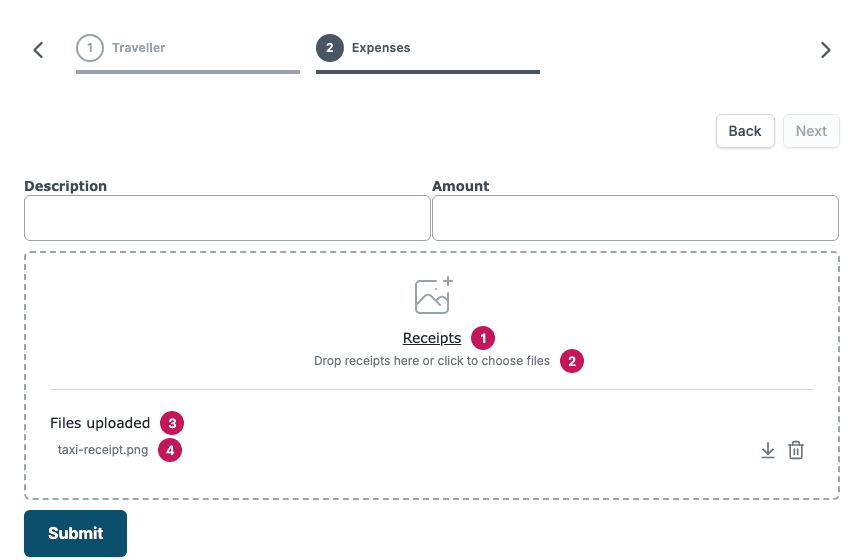
- The title of the element.
- The description.
- Files uploaded, shown once a file has been added.
- The file name, with buttons to download or remove it.
A file cannot be added to a form that is already completed.
Limits and checks
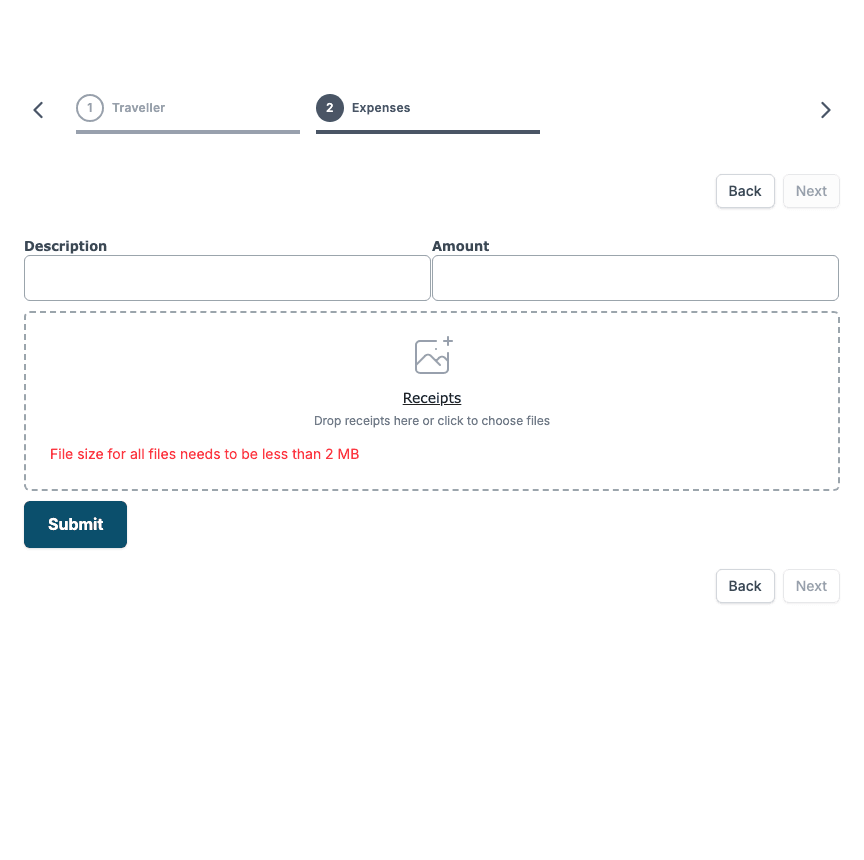
Three kinds of checks apply. The first two run in the browser and show a red message in the upload box. The third runs when the file is sent.
Size
The files on one element may add up to Max size in mb, and never more than 10 MB. The limit is checked when the person adds a file, against all the files already on the element plus the new one.
The server also checks each single file against the same limit. A file it refuses as too large gives the message Max size reached. Total file size exceeds the upload limit.
File type
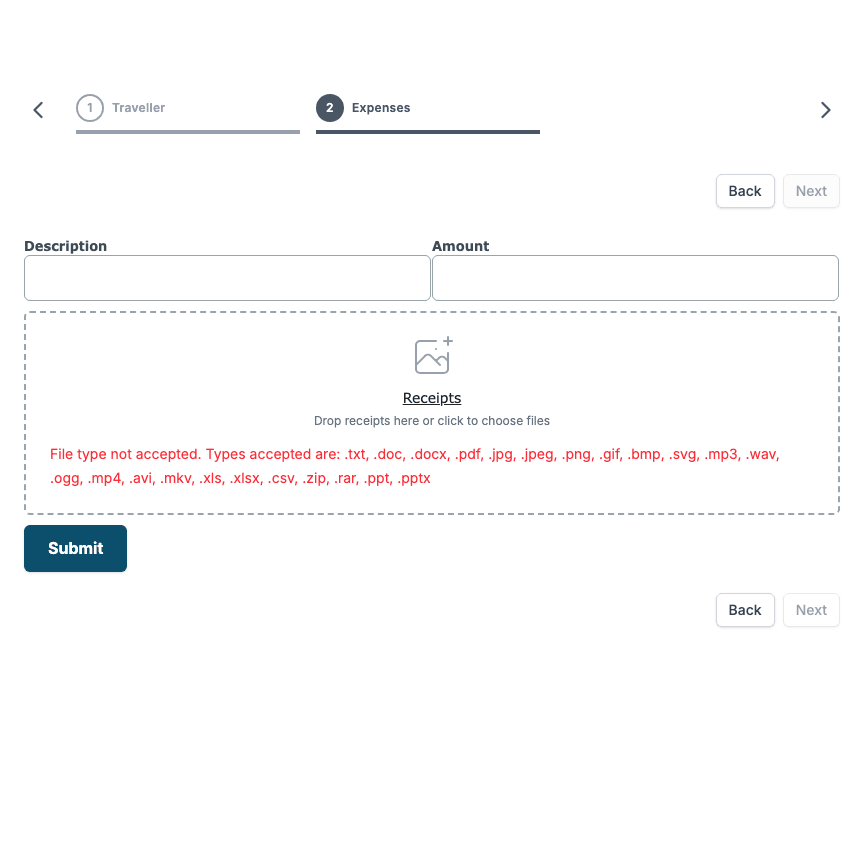
Only these file types can be uploaded: .txt, .doc, .docx, .pdf, .jpg, .jpeg, .png, .gif, .bmp, .svg, .mp3, .wav, .ogg, .mp4, .avi, .mkv, .xls, .xlsx, .csv, .zip, .rar, .ppt and .pptx. Restricted file types takes types out of that list for one element. Every other type, such as .exe, is refused on every element.
When the type is not allowed, the upload box shows File type not accepted. Types accepted are: and the list of types this element accepts.
Content
When the file is sent, the server checks that its content really is what its extension says. A file that has been renamed is refused. For example:
- A
.pdf, an image, a Word, Excel or PowerPoint file, an audio or video file, or an archive must have the content of that type. - A
.txtor.csvfile must contain text. - An
.svgfile must be an SVG image. - A
.docx,.xlsxor.pptxfile must be a real Office document, and a.zipfile that is really an Office document is refused.
The person then sees a short message in the top right corner: Failed to upload file.

Everything on the form
All the answers saved on one form, files included, may add up to about 16 MB. If the total is larger, the save is refused with Max size reached. Total file size exceeds the upload limit. This limit is for the whole form, not for one file.
All in one go
| Message | Cause | What to do |
|---|---|---|
| File size for all files needs to be less than N MB | The files on the element add up to more than Max size in mb. | Remove a file, or add a smaller one. To allow more, raise Max size in mb, up to 10. |
| File type not accepted. Types accepted are: | The extension is not on the list, or the element restricts it. | Use one of the listed types. |
| Failed to upload file | The content of the file does not match its extension. | Save the file again in the right format and add it again. |
| Max size reached. Total file size exceeds the upload limit. | All the answers on the form together are larger than about 16 MB, or the server refused one file as larger than Max size in mb. | Remove files from the form, or add a smaller file. |
To read the files of a record through the API, see the File Upload Value API in Smartforms API.