Theme settings
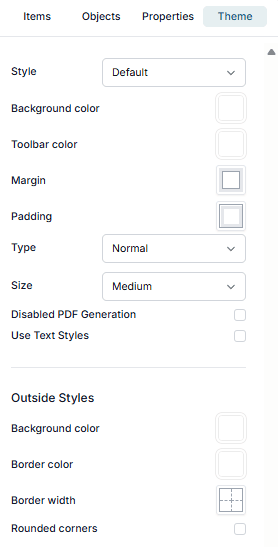
The Theme settings let you control the overall look and layout of your Smartform.
Style
Select a predefined theme or apply a custom theme.
Colors
Set the main colors of your Smartform:
- Background color
- Toolbar color
Spacing
Control spacing inside and outside the form:
- Margin
- Padding
Form type
Choose how users navigate the Smartform. The options are Normal, Step by step and Standard w/Table.
Step by step
Breaks the Smartform into sections:
- Adds Next and Back buttons
- Shows section names at the top
Next checks the required fields of the current section only, and stays on the section if something is missing. A section with no visible fields is skipped. See Filling in a Smartform.
Size
Adjust the size of form elements:
- Small
- Medium
- Large
Outside styles
Style the outer container of the Smartform:
- Background color
- Border color
- Border width
- Rounded corners