The Smartforms list
SmartForms in the left menu opens All Smartforms, the list of your Smartforms. It is where you open, organise and import them.
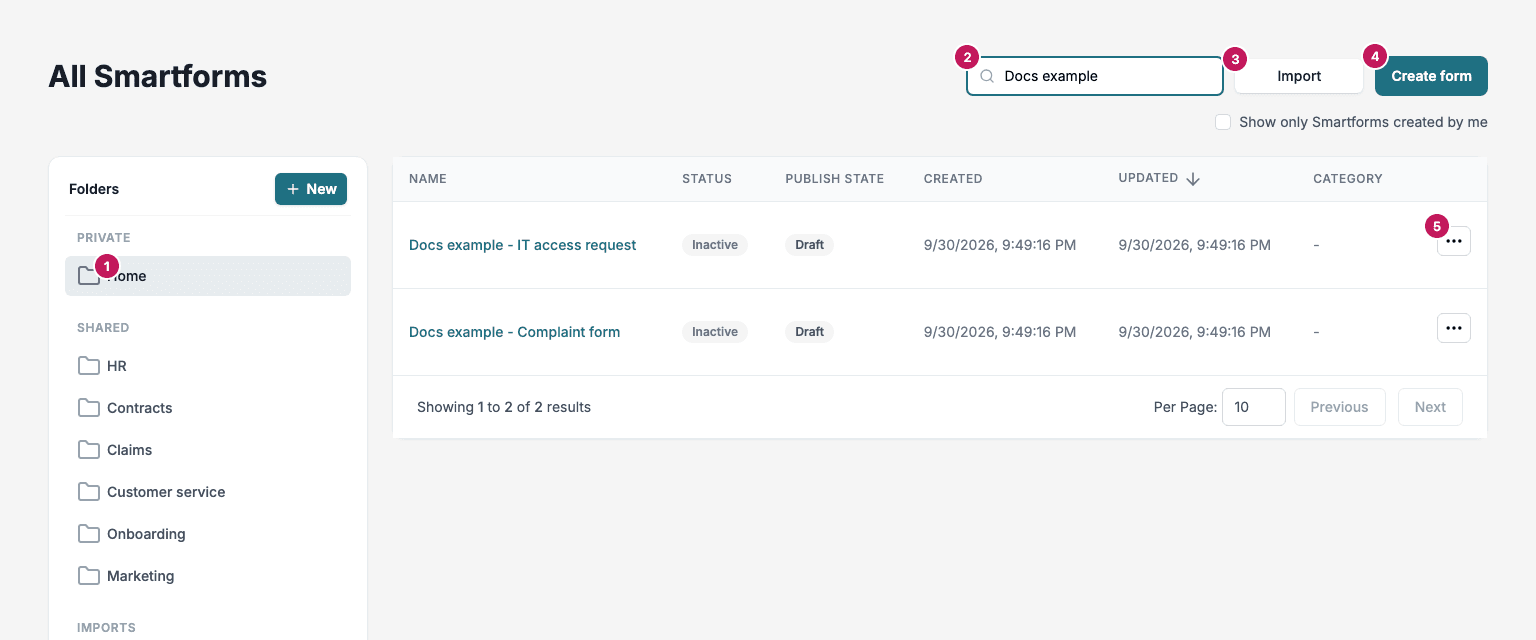
- Folders. Private holds Home, your own folder, and your private folders. Shared holds the folders of the company. Imports holds Imports / Pending review when batch import is turned on for your environment. Trash holds deleted Smartforms. Click New to make a folder.
- Search finds Smartforms by name or category.
- Import creates Smartforms from PDF and JSON files. See Import Smartforms.
- Create form starts a new Smartform. See Getting Started.
- The row menu has the actions for one Smartform.
Tick Show only Smartforms created by me to see only the Smartforms that you created or last changed. The columns are Name, Status, Publish State, Created, Updated and Category. Click a column heading to sort.
The row menu
| Action | What it does |
|---|---|
| Duplicate | Makes a copy of the Smartform. |
| Deactivate or Activate | Turns the Smartform off or on. An inactive Smartform can’t be published to another environment. |
| Export | Saves the Smartform as a JSON file. See Import a JSON Smartform. |
| Rename | Changes the name. |
| Edit | Opens the Smartform in the designer. |
| Move to Folder | Files the Smartform in another folder. |
| Delete | Moves the Smartform to Trash. |
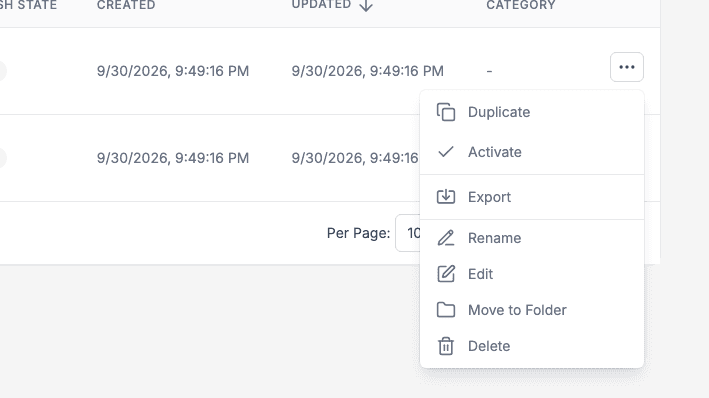
In Imports / Pending review the row menu has only Open, Move to Folder and Delete. See Review and approve drafts.